Home
>
Selected work
>
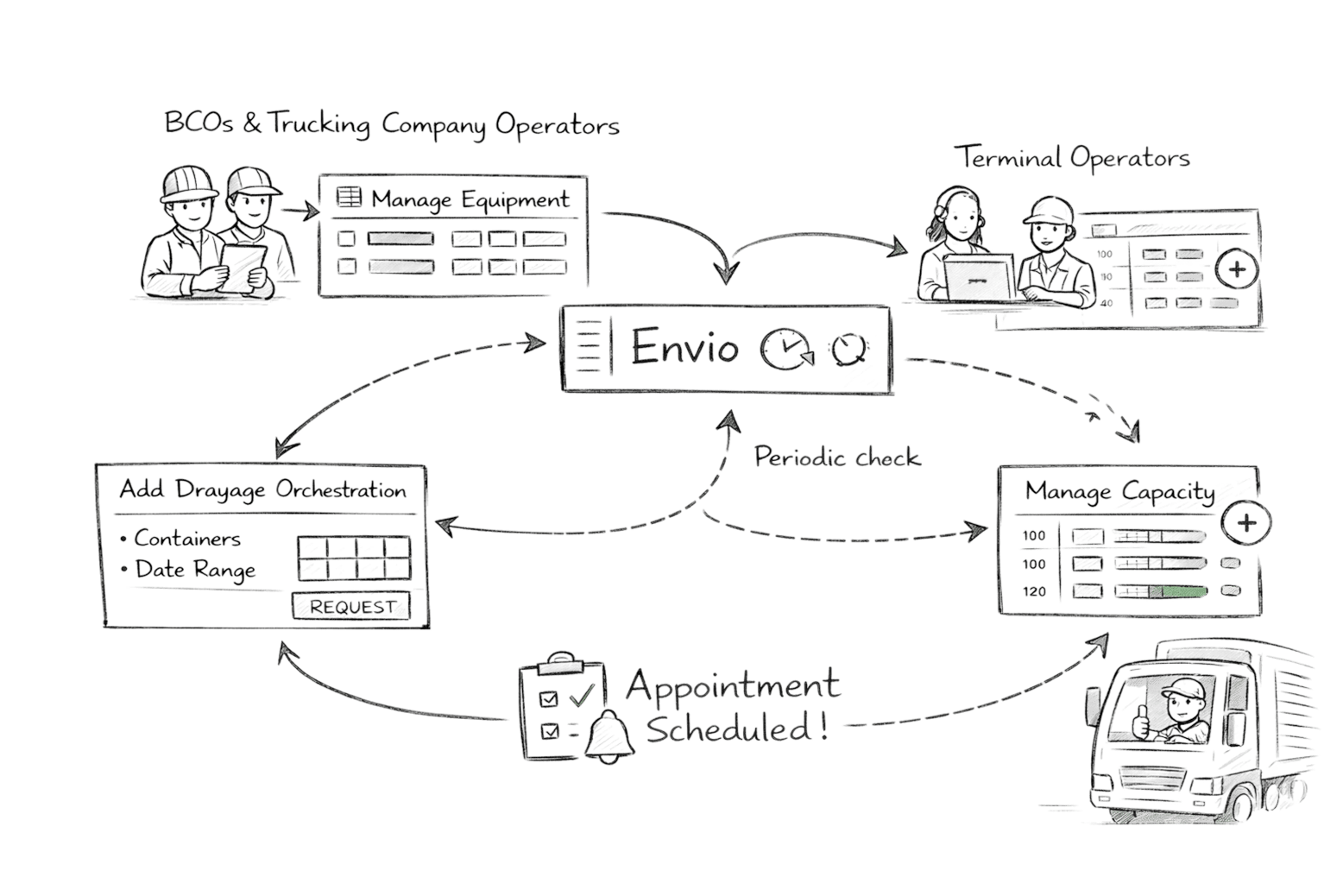
Envio 360 is a logistics platform used by BCOs and the trucking community to manage equipment and create drayage orchestrations, and by terminal operators to manage drayage capacity and vessel schedules.Designed as a more focused and automated evolution of traditional terminal systems, Envio shifts the burden of scheduling away from users and onto the system itself—allowing users to express intent while the platform works continuously to secure valid appointments.
Role
Senior UX Designer
My focus was on:
  • Designing workflows across key modules
  • Establishing clear relationships between screens
  • Translating complex logistics rules into usable experiences
  • Validating ideas through end-to-end prototypes
The work was highly collaborative and iterative.

Users & Context

Envio supports two interdependent user groups

BCOs & Truckers
  • Manage equipment
  • Create drayage orchestrations
  • Track system-driven outcomes
Terminal Operators
  • Manage drayage capacity
  • Configure vessel schedules
  • Control availability that determines booking success
A core challenge was ensuring actions by one group were clearly reflected for the other.

Problem 1

Booking required users to micromanage availability

Traditional systems required users to:
  • Pick exact dates and time slots
  • Submit and wait for success or failure
  • Retry manually when capacity was unavailable
This made booking error-prone, time-consuming, and stressful—especially under operational pressure.
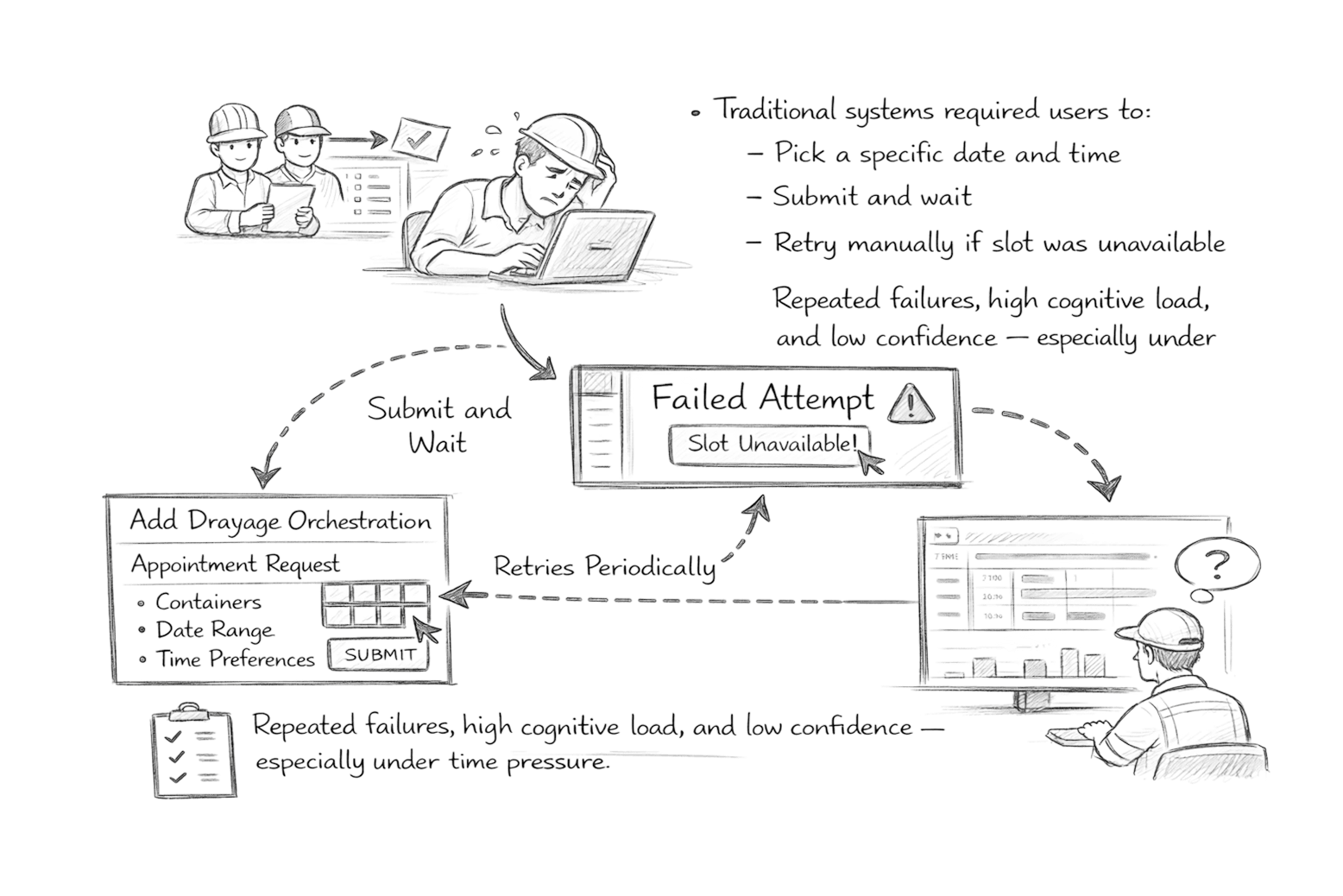
Users had to pick a slot, submit, fail, and try again

Solution 1

Shift booking responsibility to the system

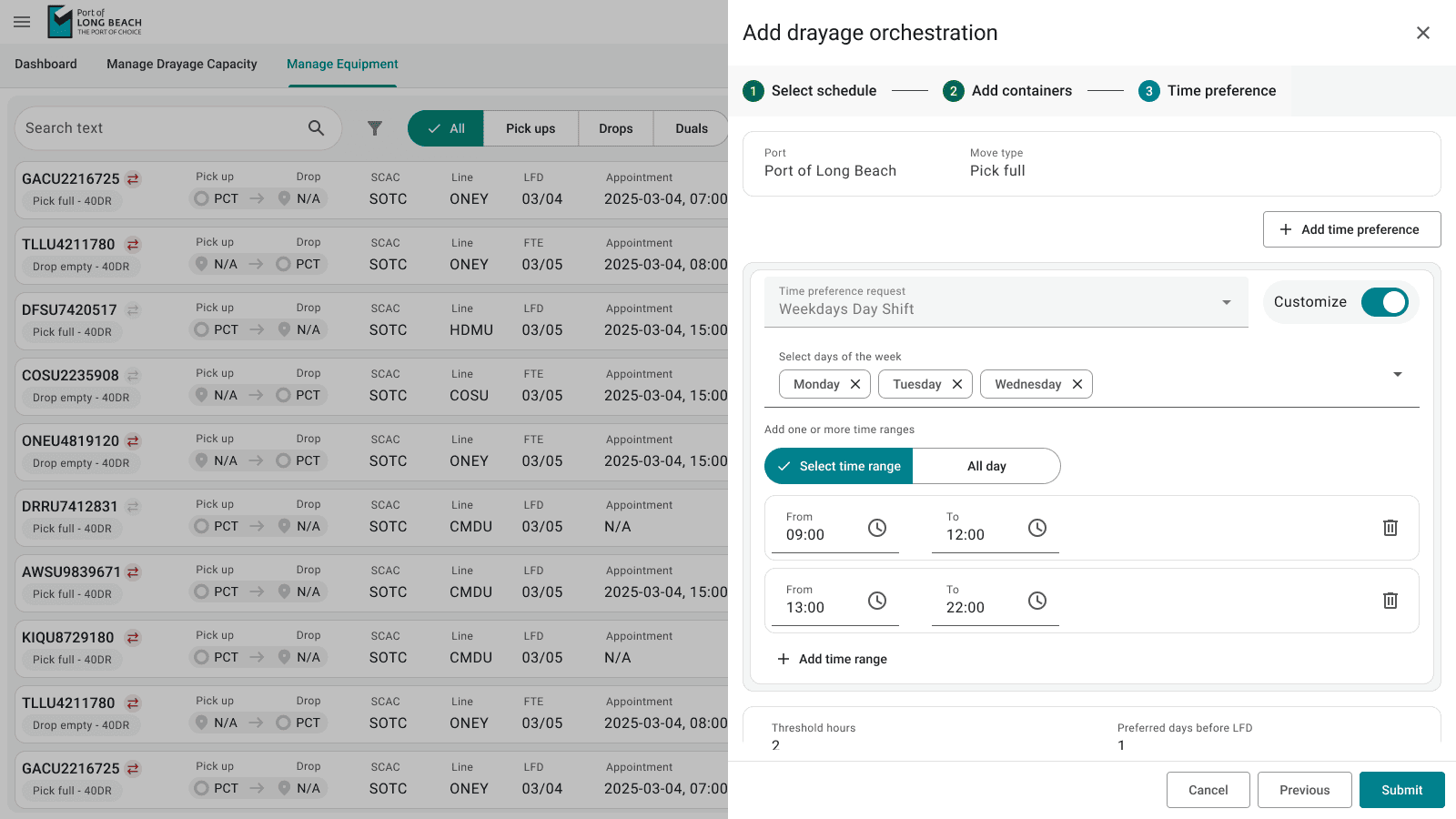
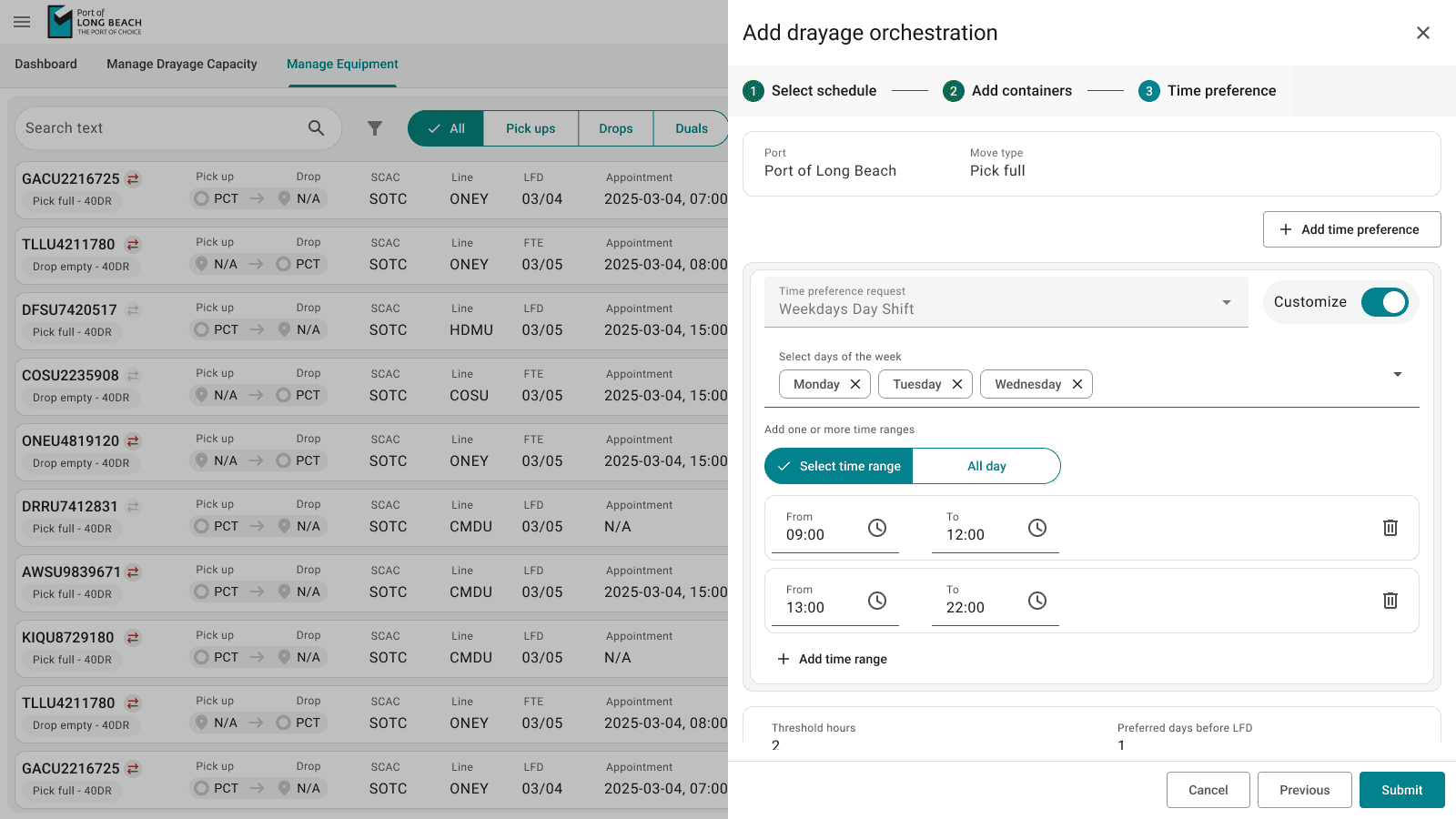
Envio allows users to:
  • Provide date ranges and preferred time windows
  • Submit intent once
The system then:
  • Continuously monitors capacity
  • Responds to capacity changes over time
  • Automatically secures a valid slot when available
This reframes scheduling as a system responsibility, not a user burden.
Add drayage orchestration

Problem 2

Screens existed, but system behaviour felt fragmented

Users struggled to understand:
  • Why bookings succeeded or failed
  • How capacity changes affected outcomes
  • Where the current source of truth lived
The lack of visible relationships reduced trust.

Solution 2

Design around clear cause-and-effect

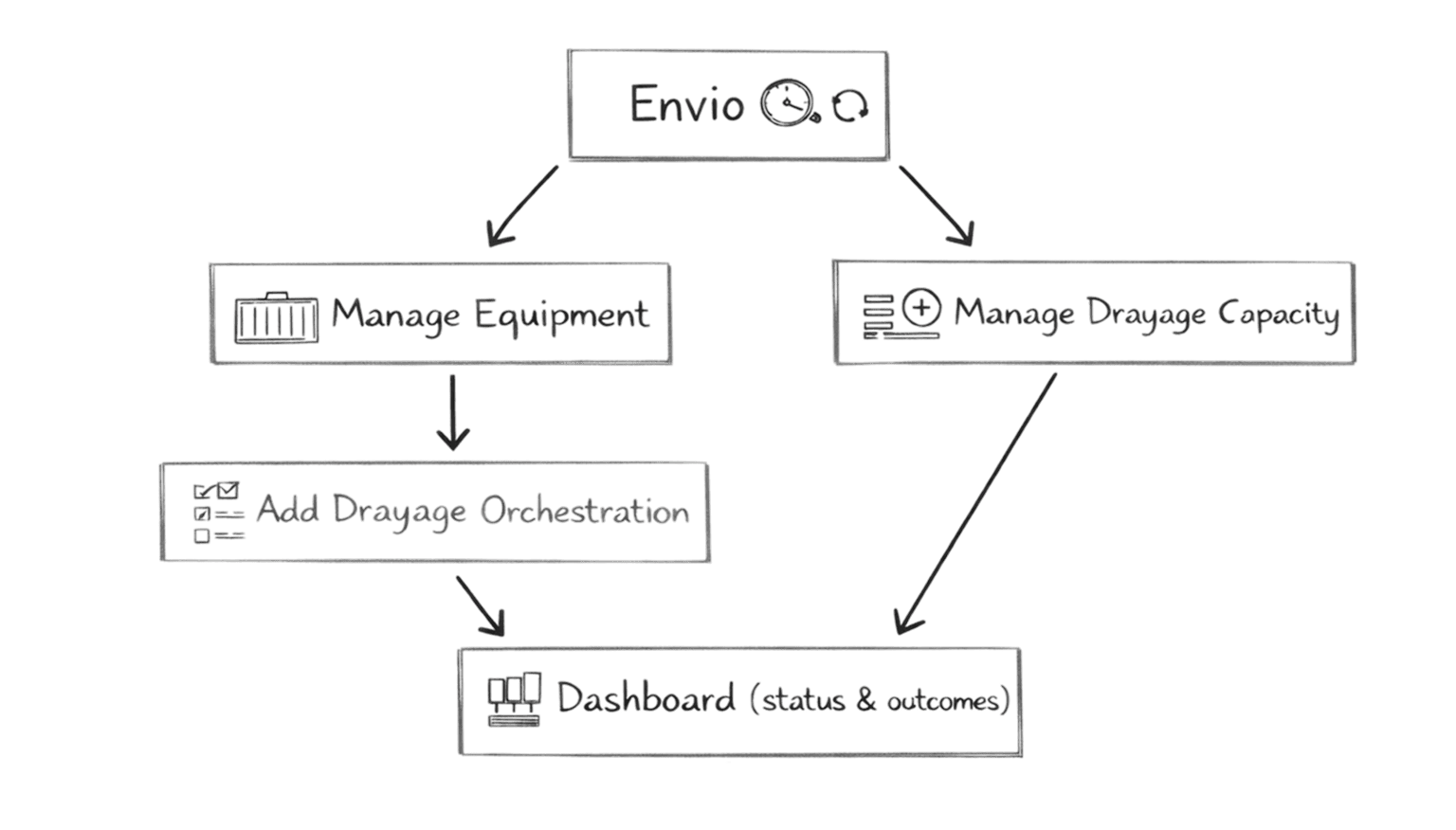
We focused on how modules influenced one another:
  • Capacity shapes orchestration outcomes
  • Orchestration intent drives system behaviour
  • Dashboard surfaces outcomes
  • Equipment reflects real-world state
The goal was to make cause → effect → outcome easy to follow.
Relationship between modules

Problem 3

Users lacked visibility into what the system was doing

Without clear feedback, users were unsure:
  • If the system was still working on their request
  • What required attention vs what was automated

Solution 3

Use the dashboard as the system’s voice

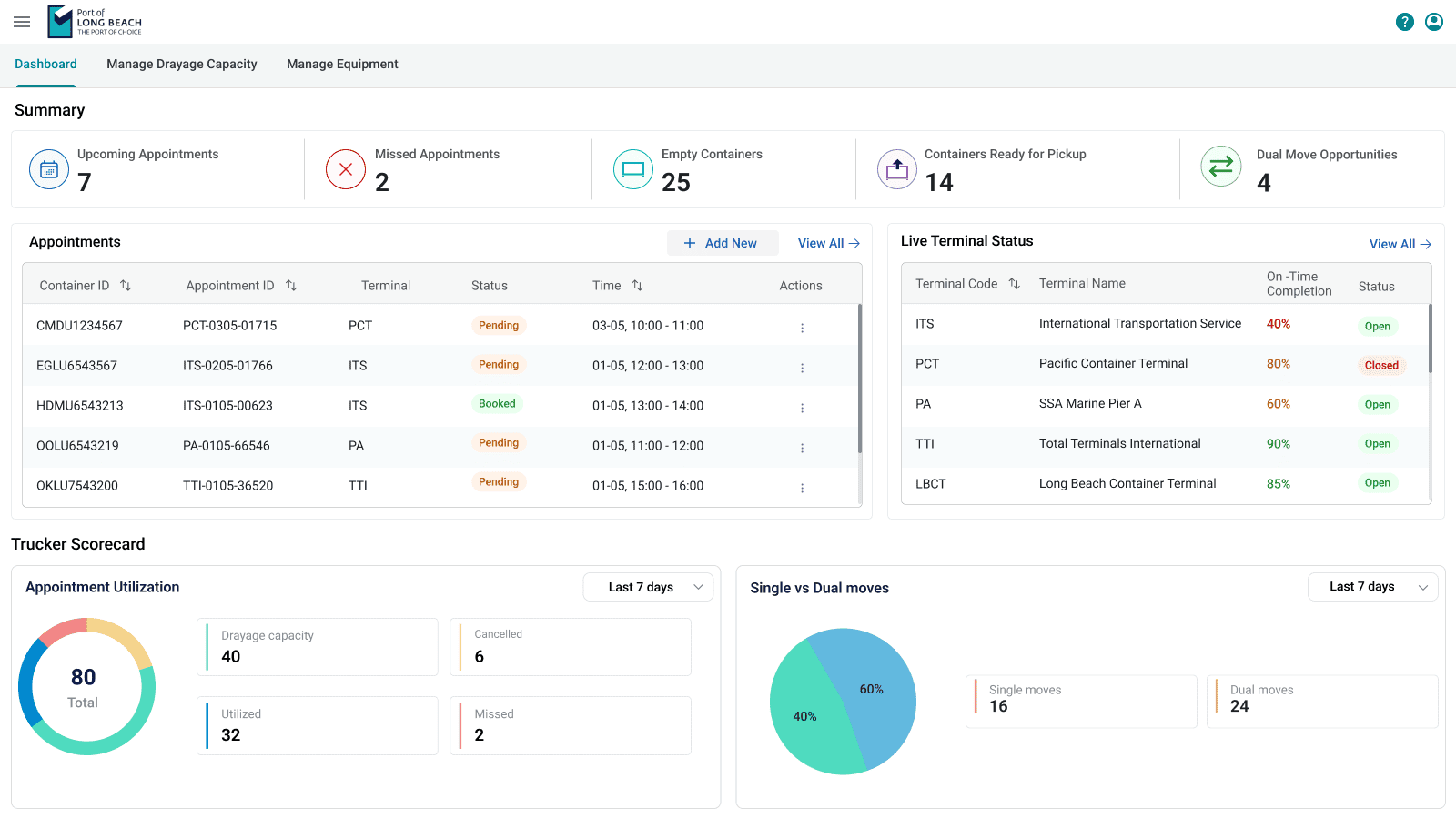
The dashboard was designed to:
  • Surface booking states at a glance
  • Reflect terminal status and utilisation
  • Highlight operational opportunities (e.g. dual moves)
It prioritises clarity over raw data.
Dashboard screenshot

Problem 4

Automation needed a real-world anchor

Scheduling logic alone felt abstract. Users needed confidence that system decisions aligned with actual containers and yard reality.

Solution 4

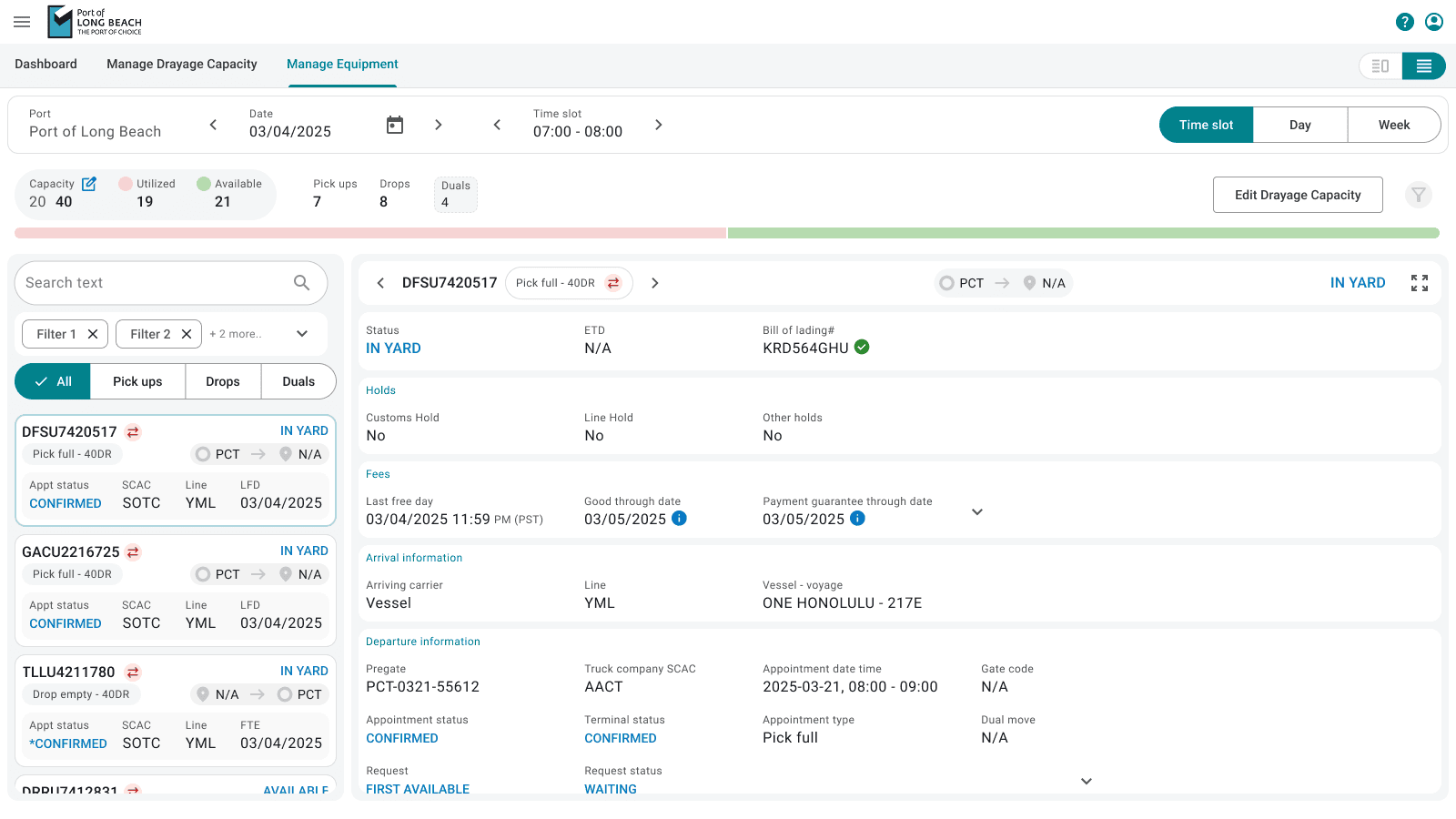
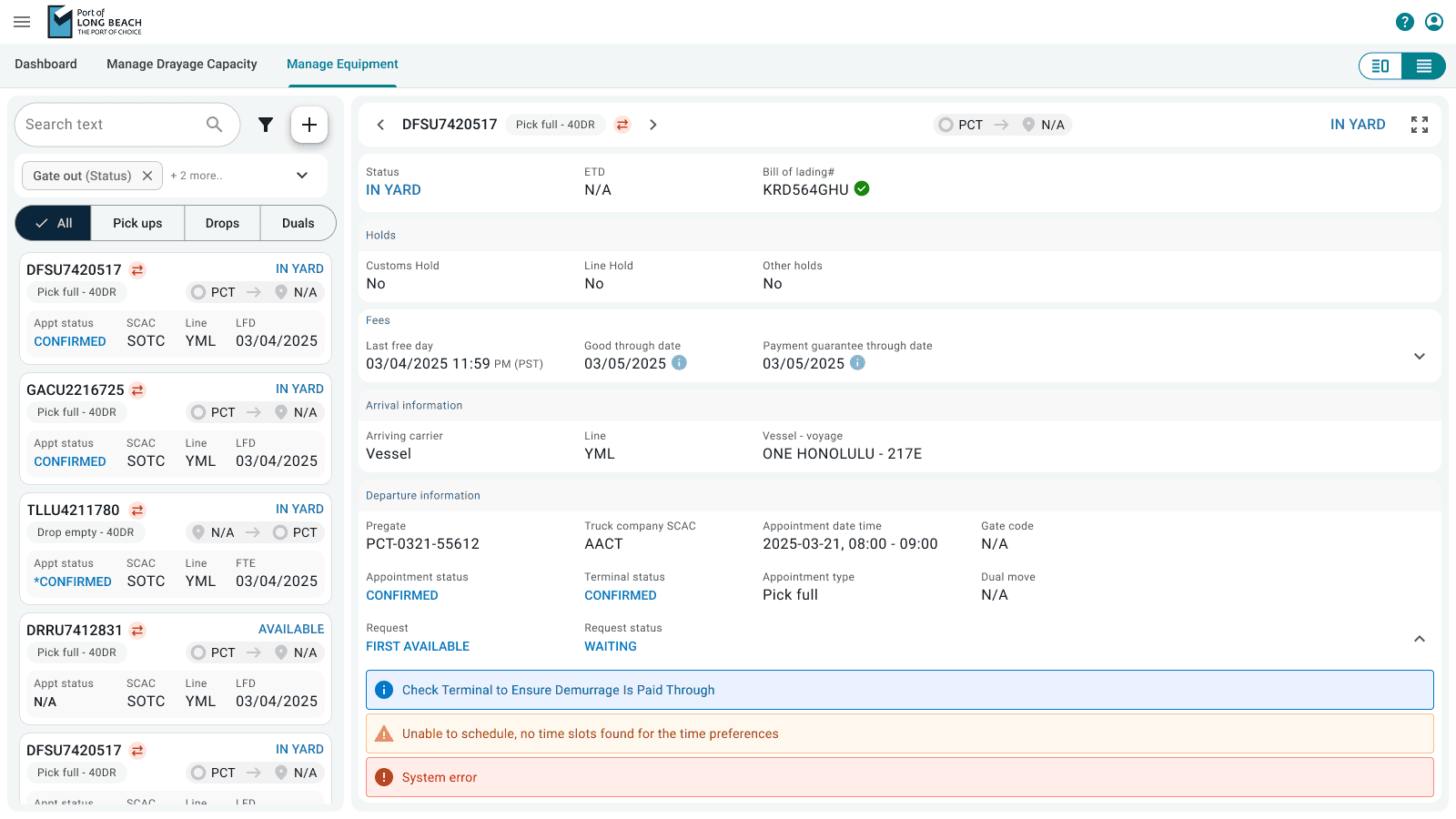
Ground automation in equipment visibility

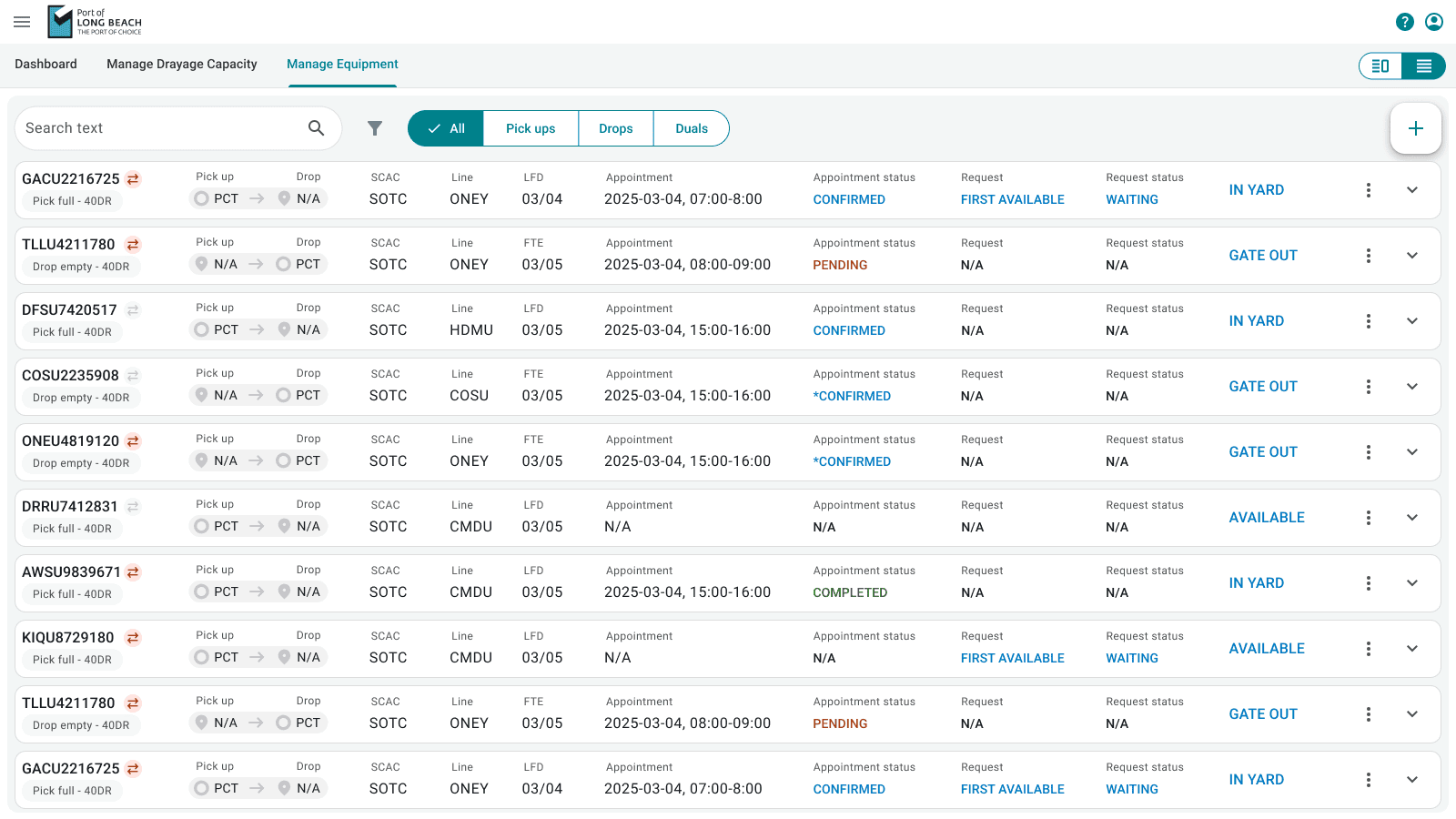
Manage Equipment provides:
  • Container-level status
  • Clear state transitions (Available, In Yard, Gate Out, Completed)
  • Direct links between assets and orchestration outcomes
This made automation feel tangible and trustworthy.
Manage Equipment list + detail view

Problem 5

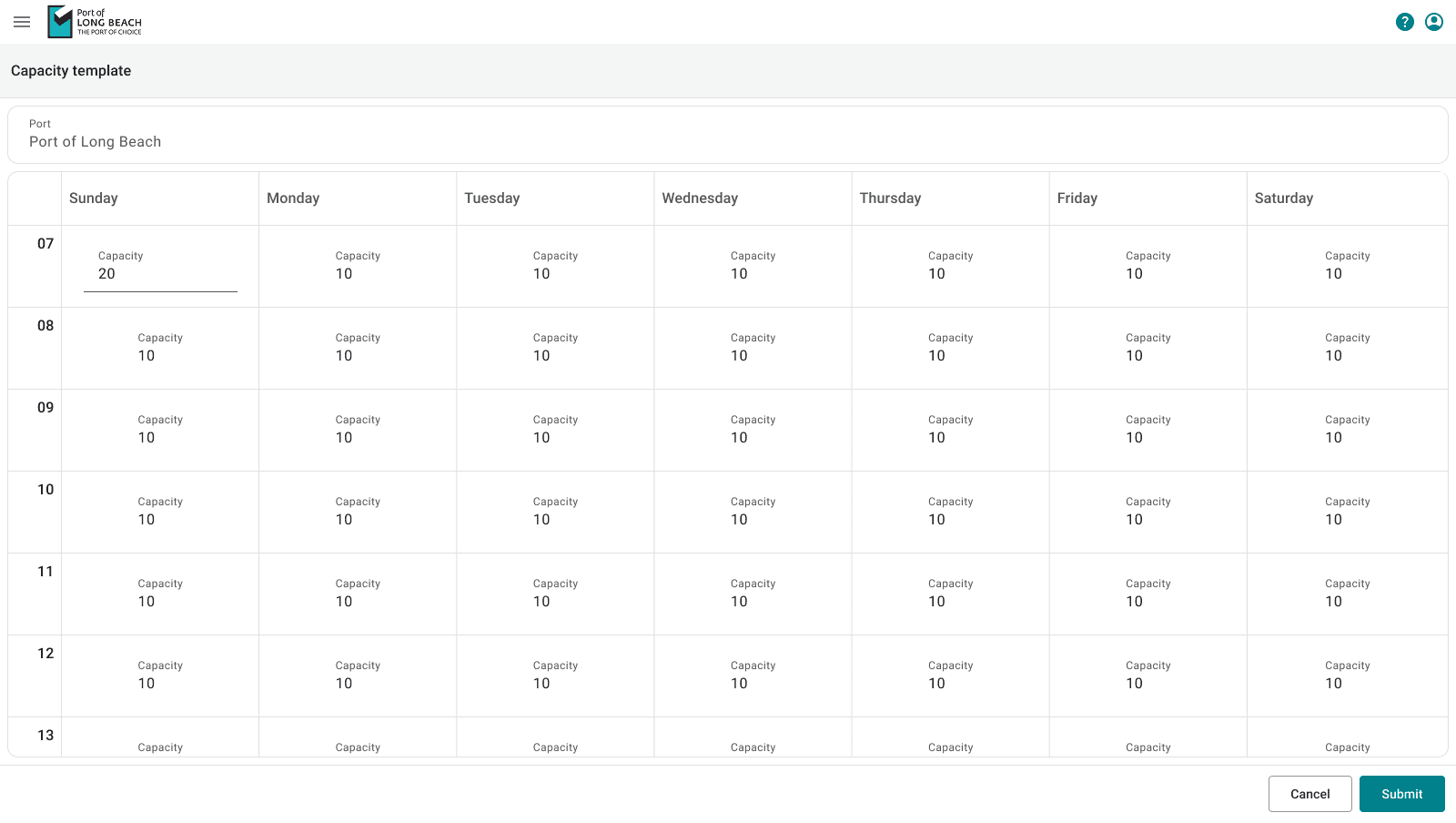
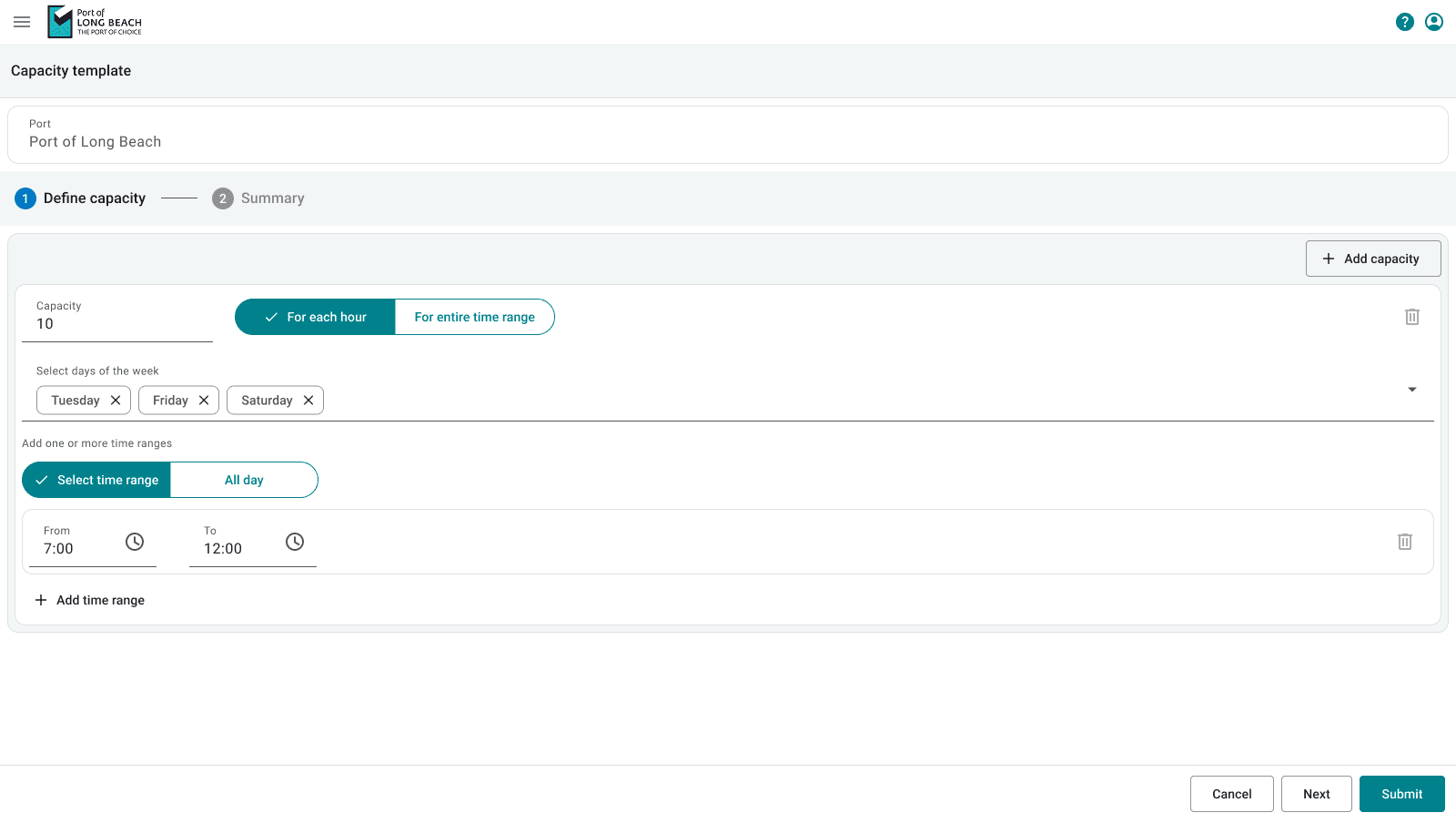
Capacity control required precision without complexity

Terminal operators needed fine-grained control without overwhelming interfaces.

Solution 5

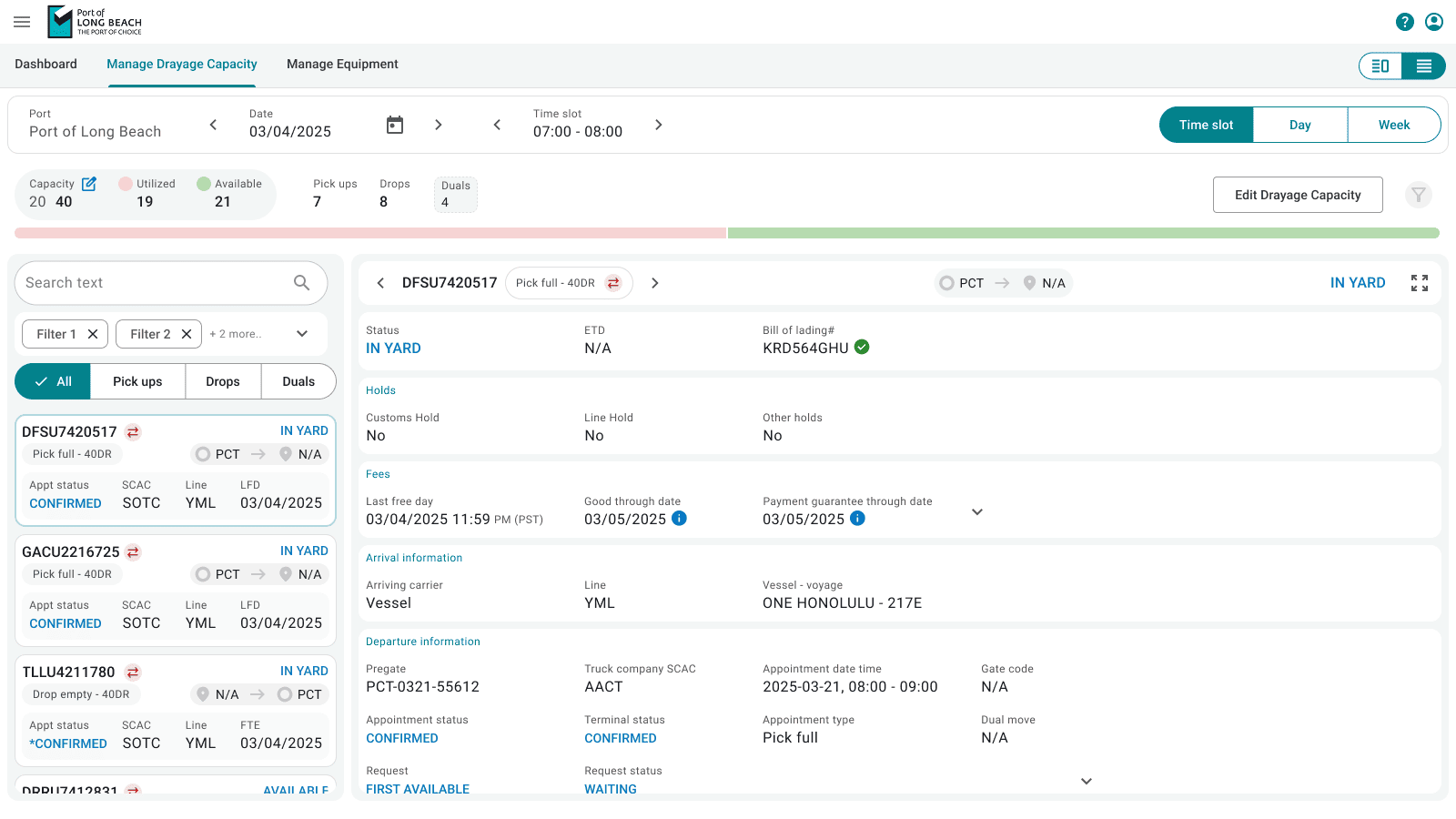
Make capacity scannable and predictable

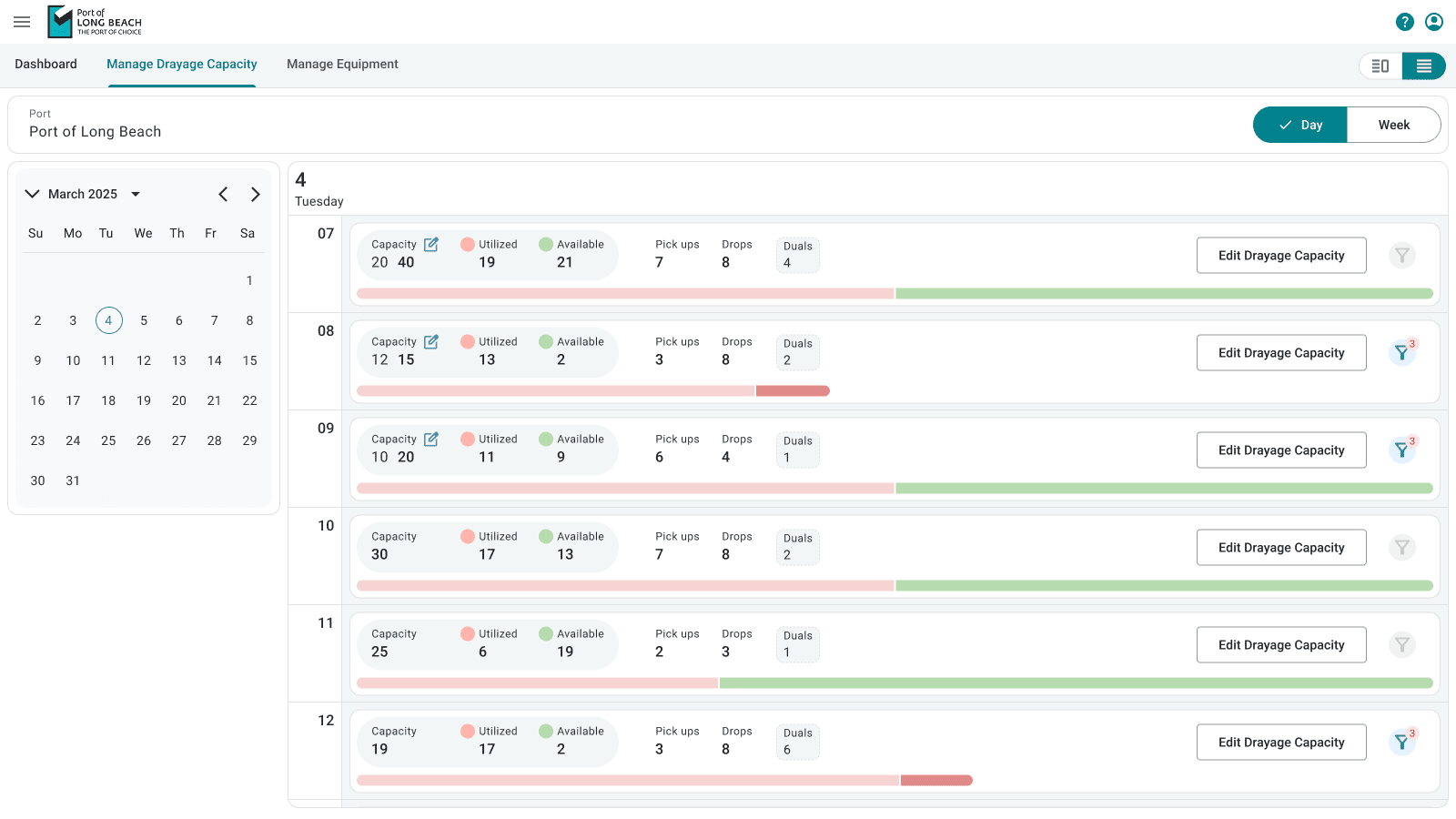
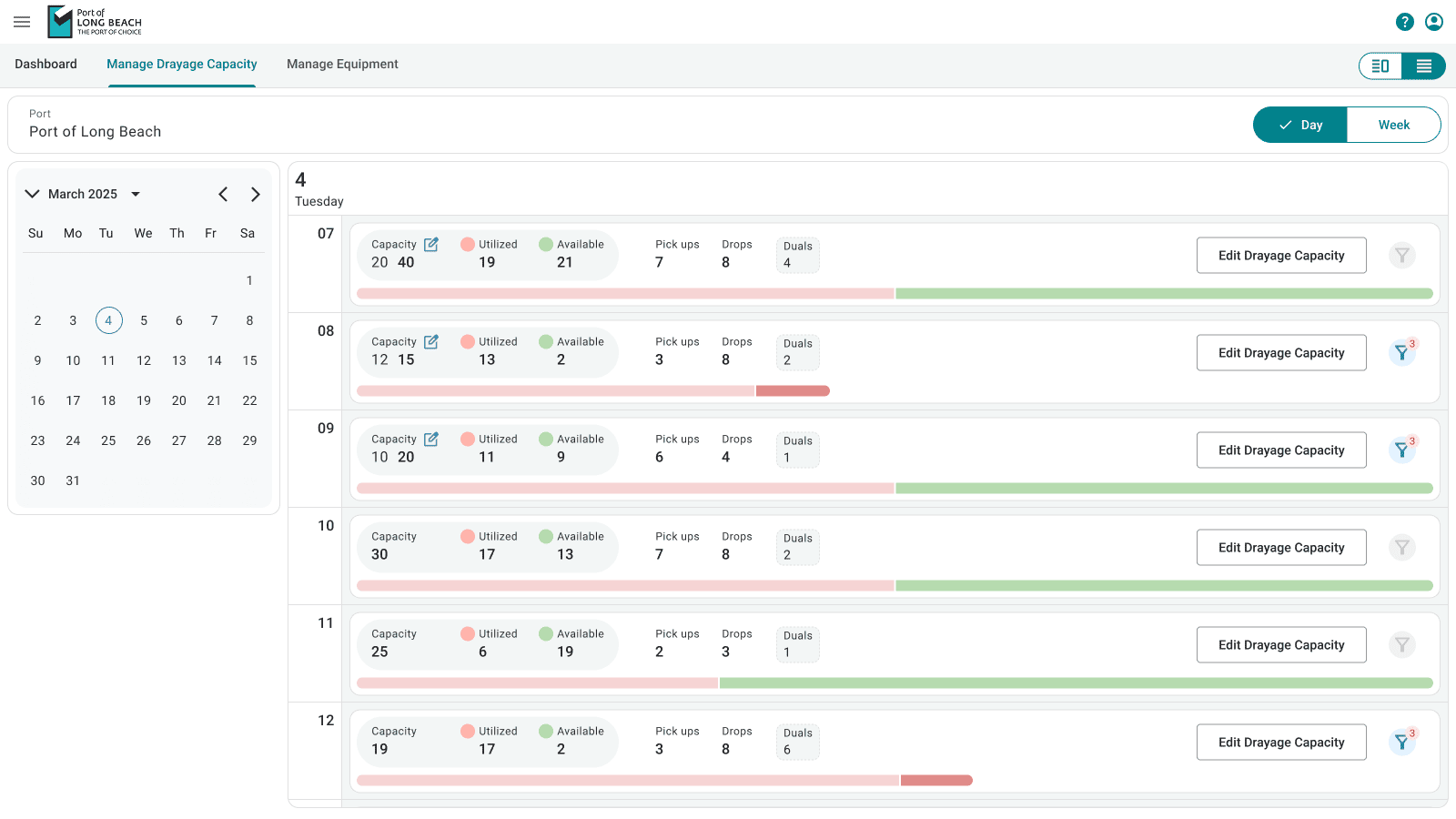
Manage Drayage Capacity uses:
  • Visual indicators for utilised vs available slots
  • Hour-level control
  • Clear pickup, drop, and dual breakdowns
Operators can quickly reason about impact without digging through data.
Drayage Capacity — Day view

The Outcome

  • Reduced manual effort and retries
  • Fewer failed bookings
  • Clearer system feedback
  • Greater trust in automation
The experience shifted from reactive problem-solving to proactive system support.
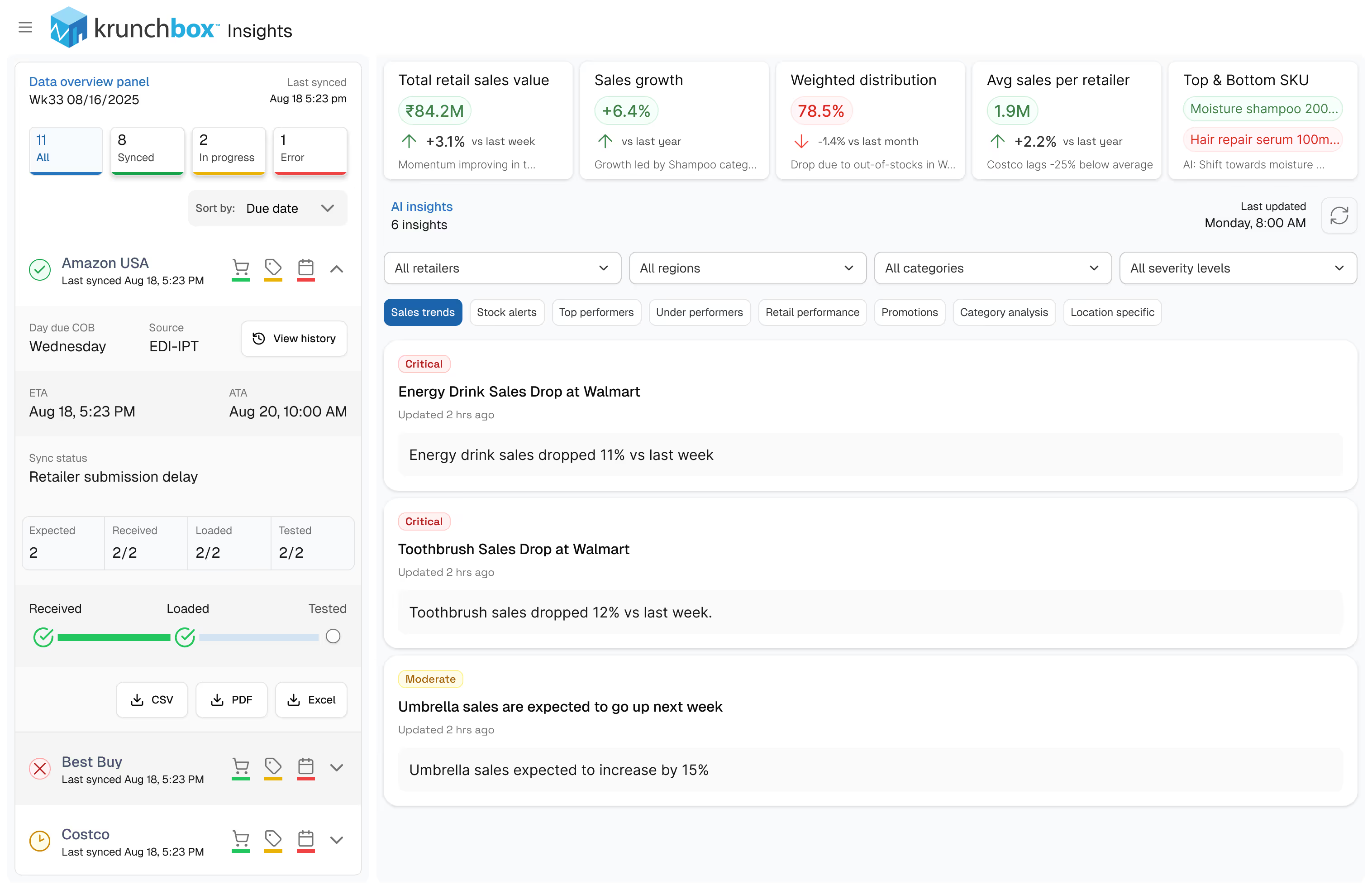
Krunchbox evolved from a report-heavy system into an insight-led platform designed for faster, more confident decisions.

Gallery